About WiFi Analyzer
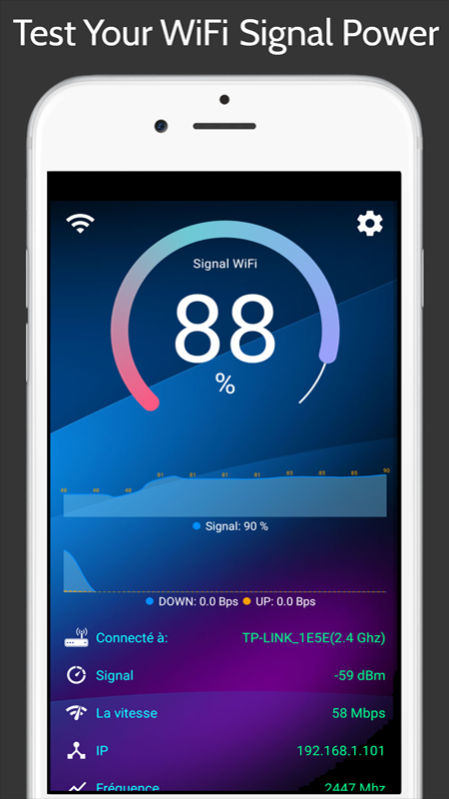
Optimize your WiFi network using WiFi Analyzer by examining surrounding WiFi networks, measuring their signal strength as well as identifying crowded channels. Users' privacy and security is a huge concern these days and...
Optimize your WiFi network using WiFi Analyzer by examining surrounding WiFi networks, measuring their signal strength as well as identifying crowded channels.
Users' privacy and security is a huge concern these days and WiFi Analyzer is designed to use as few permissions as possible. It asks for just enough to perform the analysis. Plus, it is all open source so nothing is hidden! Most notably, this application does not require access to internet, so you can be sure it does not send any personal/device information to any other source and it does not receive any information from other sources.
WiFi Analyzer is under active development by volunteers.
WiFi Analyzer is free, has no-ads and does not collect any personal information.
WiFi Analyzer is not a WiFi password cracking or phishing tool.
Features:
- Identify nearby Access Points
- Graph channels signal strength
- Graph Access Point signal strength over time
- Analyze WiFi networks to rate channels
- HT/VHT Detection - 40/80/160MHz (Requires Android OS 6+)
- Access Point view complete or compact
- Estimated Distance to the Access Points
- Export access points details
- Dark or Light theme available
- Pause/Resume scanning
- Available filters: WiFi band, Signal strength, Security and SSID
- Vendor/OUI Database Lookup
Previous Versions
Here you can find the changelog of WiFi Analyzer since it was posted on our website on 2023-06-19 14:51:18.
The latest version is 1.3.8 and it was updated on 2024-04-19 20:34:33. See below the changes in each version.
WiFi Analyzer version 1.3.8
Updated At: 2020-08-04
Disclaimer
Official AppGallery Link
We do not host WiFi Analyzer on our servers. We did not scan it for viruses, adware, spyware or other type of malware. This app is hosted by Huawei and passed their terms and conditions to be listed there. We recommend caution when installing it.
The AppGallery link for WiFi Analyzer is provided to you by apps112.com without any warranties, representations or guarantees of any kind, so access it at your own risk.
If you have questions regarding this particular app contact the publisher directly. For questions about the functionalities of apps112.com contact us.